Overview
This guide shows you how to refresh (reconnect) your Google OAuth connection in Localyser. You need to do this in two situations: when an existing Google login has expired, or when you've added a new Google Business Profile location that isn't yet linked to your account. Keeping this connection active ensures your reviews, listings, and reporting data stay in sync.
When You Need to Do This
- The Expires date for your Google login has passed, or is coming up soon.
- You've added a new location to your Google Business Profile and want Localyser to pick it up.
- The Locations count next to your Google account shows 0 or looks lower than expected.
|
⚠ Important If your Google connection expires, Localyser can no longer sync new reviews, listing updates, or reporting data for the linked locations until it's refreshed. |
Steps to Refresh Your Google Connection
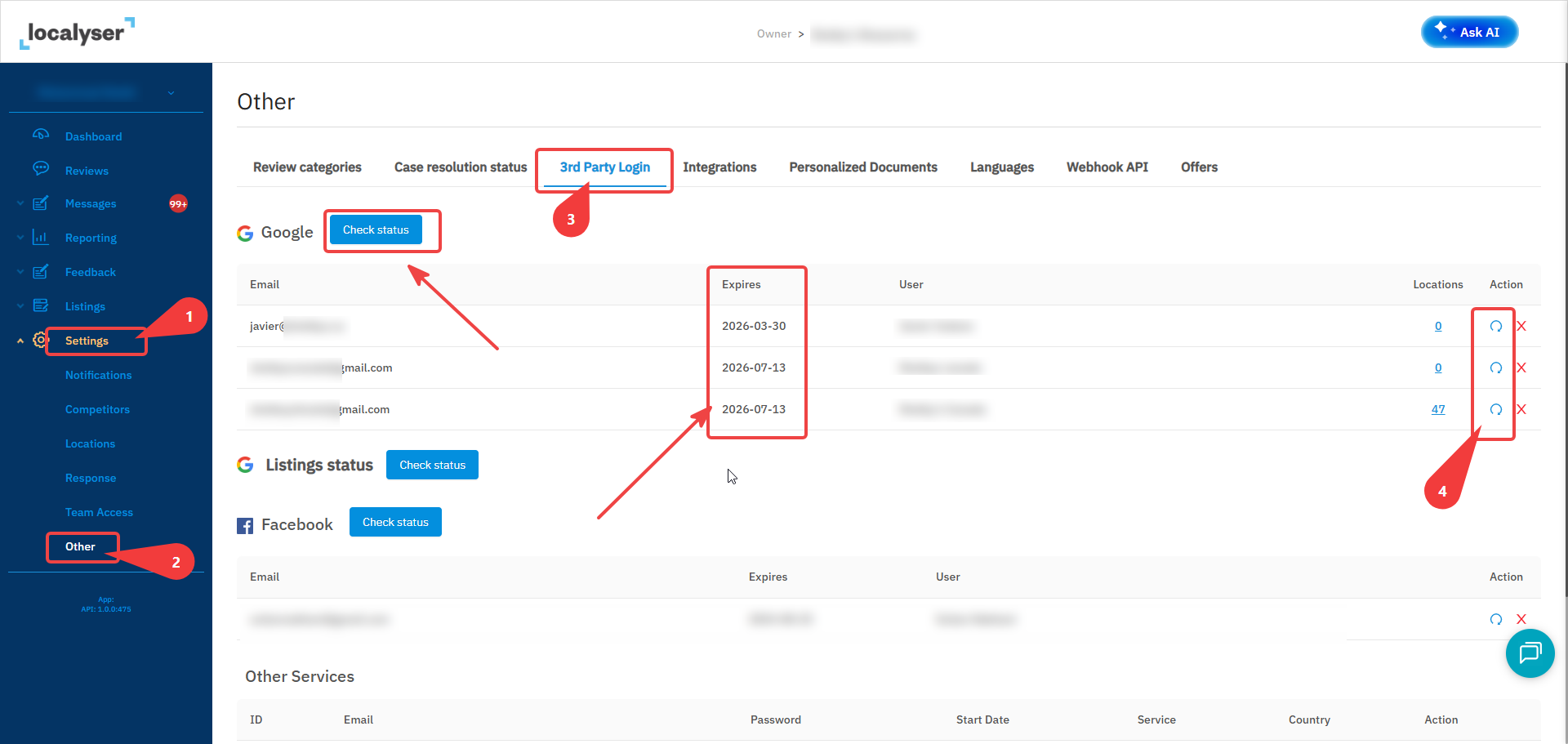
- Go to Settings in the left-hand sidebar of your Localyser account.
- Select Other from the settings menu.
- Open the 3rd Party Login tab.
- Under the Google section, find the account row you want to refresh — check the Expires column to confirm which one needs attention.
- In the Action column for that row, click the refresh icon (the circular arrow) next to the red X.
- Complete the Google sign-in prompt to reauthorize access. Once done, the Expires date will update and any new locations will sync automatically.
|
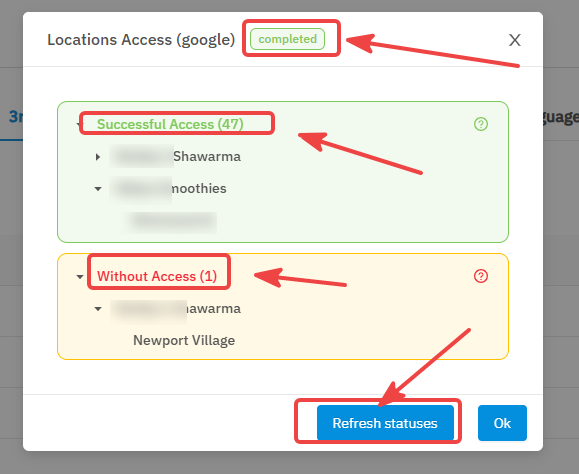
ℹ Note You can click Check status at the top of the Google section at any time to verify the current status of the list of your locations. |
Frequently Asked Questions
Do I need to refresh every account listed under Google?
Only the accounts tied to locations you're actively using in Localyser. Accounts with 0 locations linked can be left as-is unless you plan to add locations under them.
Why don't I see my new location after adding it in Google?
New locations aren't automatically detected. You must click the refresh icon for that Google account so Localyser re-pulls the current list of locations.
What happens if I click the red X instead?
The red X removes (disconnects) that Google login from your account entirely. Use the refresh icon, not the X, to reconnect.